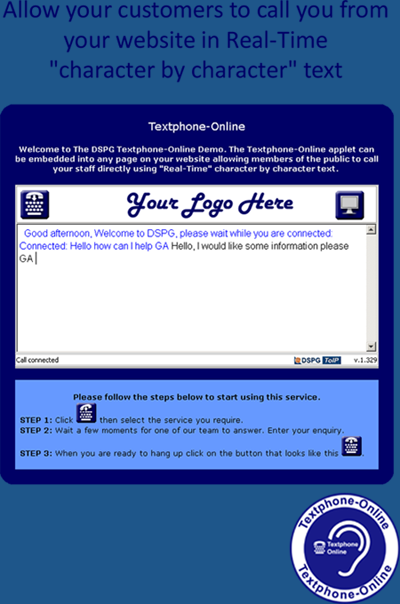
Web Access to TexBox - Textphone Online

Welcome to DSPG’s online textphone system, please follow the steps below to start using this service.

  • STEP 1: Click on the button that looks like this login_r to login. User ID: demo/user1. Password: 123
  • STEP 2: Click dial_out_r then select the service you require.
  • STEP 3: Wait a few moments for one of our team to answer. Enter your enquiry.
  • STEP 4: When you are ready to hang up click on the button that looks like this hang_up_r.

Need more help – visit our questions and answers page.

If you can’t see the login icon, you may need to download the Java Runtime Environment before proceeding – for instructions on how to do this visit our questions and answers page.

Top of Page